SelecTime
Time tracking, scheduling and pre-payroll for your team, with a mobile app and biometric clocking.
What is included
- Clock records, who came and who did not, and reports
- Pre-payroll under Colombian Law 2466
- Hour bank and compensatory time
- Unlimited schedules from Pre-payroll
- Mobile app with GPS and offline mode
- Unlimited sites and administrators
Using other software with ZKTeco devices? Migrate without changing your devices
How pricing works
Per active person, with a plan that fits
Choose the plan by what you need to control. The price per person drops in tiers and each plan has a monthly minimum. Remote setup and a 24/7 support assistant come with every paid plan.
Monthly plans are indexed with inflation (IPC) every January.
Values in Colombian pesos, before taxes. Outside Colombia, the calculator shows your currency.
Plans
- Attendance
- Daily attendance, no pre-payroll or shifts
- Pre-payroll
- Attendance and pre-payroll without an hour bank
- Professional
- For carrying, compensating and approving hours
- Premium
- With a pre-payroll team and labor law advice
Free up to 5 people
Web and app clocking, basic attendance and reports, with assistant support. It does not include pre-payroll, API or advanced analytics.
From attendance records to pre-payroll, in one place
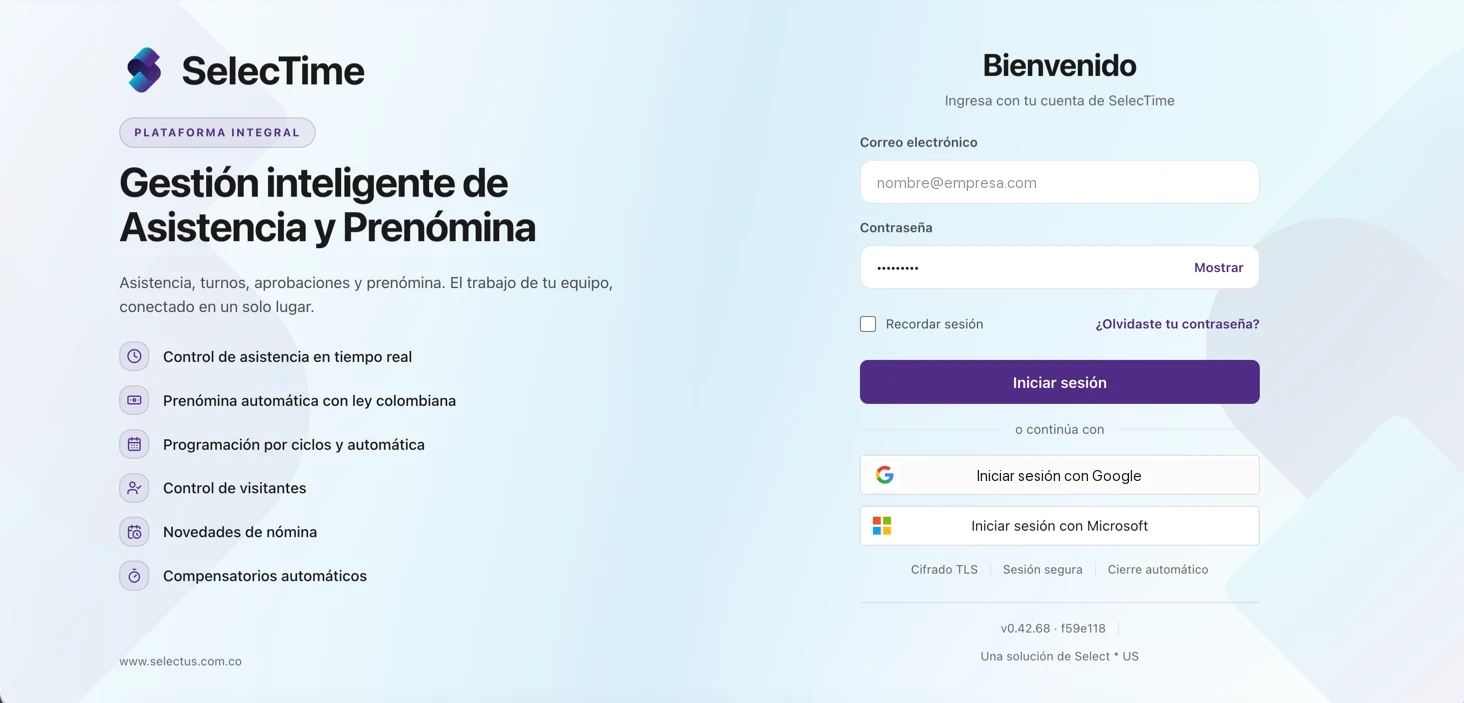
SelecTime collects clock-ins from biometric devices, web and app, matches them against your shifts and rules, and delivers settled hours by concept, ready for payroll.
See SelecTime in action
In about a minute and a half, walk through the full flow: clock-in, approvals, calculation, reports, payroll export and the employee portal.
One flow, from clock-in to payroll
Click a step or use “Next” to walk through the flow and see each real screen.
Live attendance from the first clock-in
Clock-ins arrive from biometric devices, web and the mobile app. The dashboard shows who is on time, who is late and who has not clocked in.
- Fingerprint, face, palm, card, web, app and voice
- Late arrivals, early departures and inconsistencies detected
- Device status and pending approvals at a glance
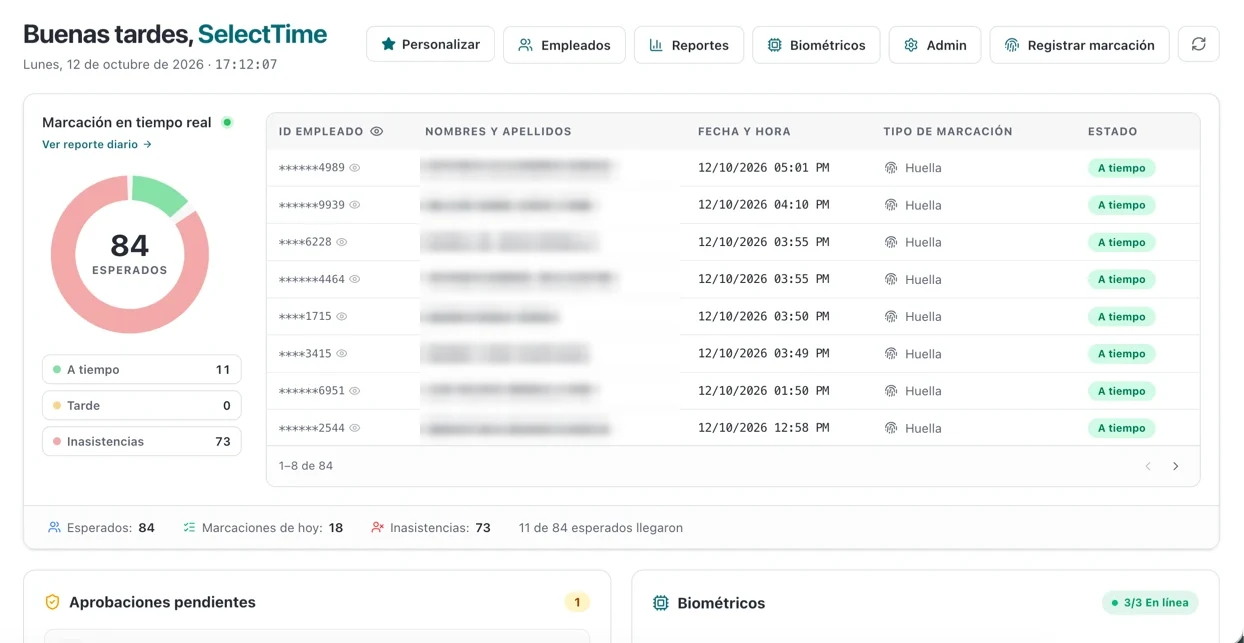
Real screenshots with personal data hidden.
Modules that cover the whole cycle
Attendance
Daily clock-ins, summary, late arrivals, absences and inconsistencies with severity and suggested action.
Scheduling
Shift calendar, rotation cycles, draft and publishing with team notification.
Approvals
Multi-level workflows for hours, clock-ins and absences, with full or partial approval.
Pre-payroll
Simulated or official calculation, run history, guided closing and settlement by concept.
Comp time and hours bank
Compensatory balances per employee and an hours bank that offsets shortfalls before paying overtime.
Employees and self-service
Guided import, full employee profile and an employee portal with clock-ins, reports and pay voucher.
Visitors
Pre-registration, reception with photo and temporary access on biometric devices that expires on its own.
Reports and analytics
Reports in Excel, CSV or PDF, analytics against the previous period and a downloads center.
Clock in from wherever your team works
Biometric devices
Fingerprint, face, palm and card. Devices are approved, monitored and receive commands from the platform.
Web and kiosk
Browser clock-in with photo, location and geofence per site, or a kiosk run by an operator.
Mobile app
Android and iOS, with camera, GPS and an offline queue that syncs when the signal returns.
Voice
Optional voice clock-in, authorized by each employee, with an encrypted voiceprint.
Anti-fraud controls
- Mock location signal
- Connection country different from expected
- Deferred or offline clock-ins flagged
- Optional face match against the enrolled photo
- “Suspicious only” filter, map and daily route
Labor rules come preloaded
When a company is created, hour concepts with their percentage, the night window and the maximum weekly hours are loaded according to current regulations. Each attendance group can be adjusted.
Percentage over the regular hour
Your team clocks in from their phone
The SelecTime app for Android and iOS puts clock-in in every employee’s pocket, with location, photo or voice, and their history always at hand.
With no signal, the clock-in is queued and sent automatically once reconnected.
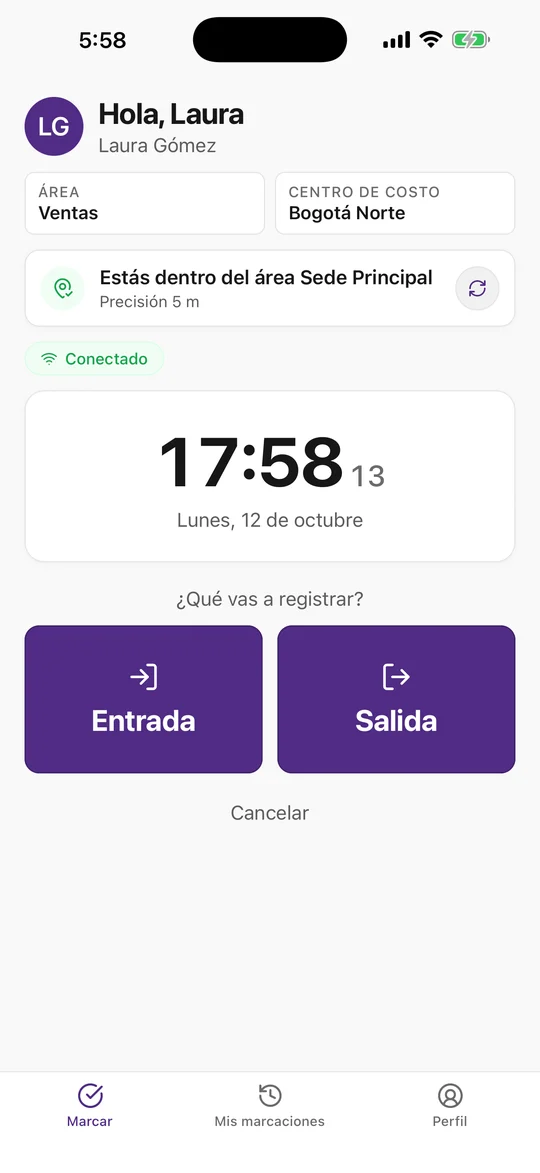
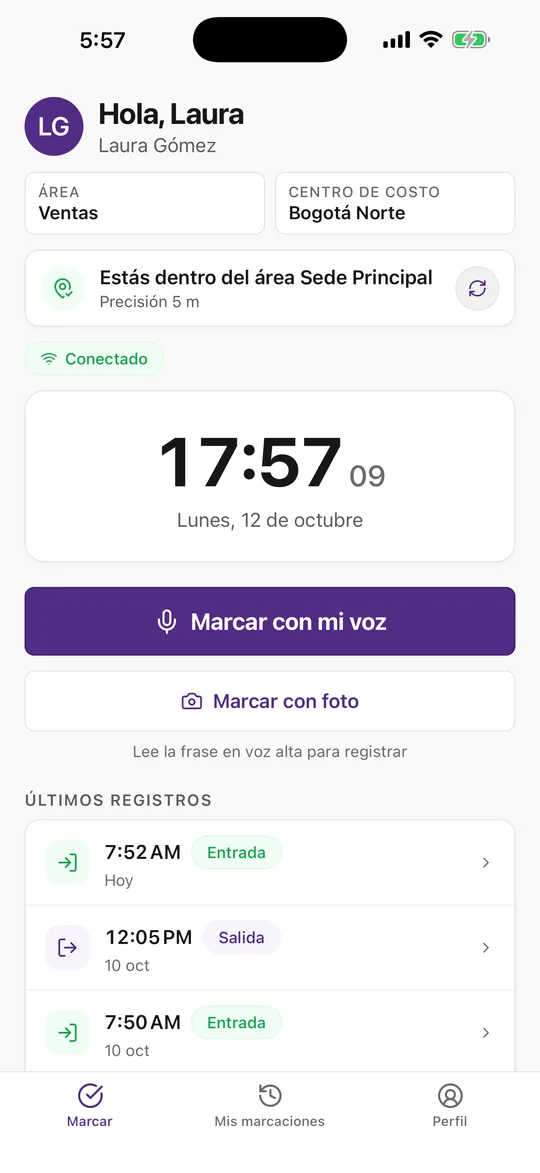
Pick a feature to see the screen. Real app screens with demo data.
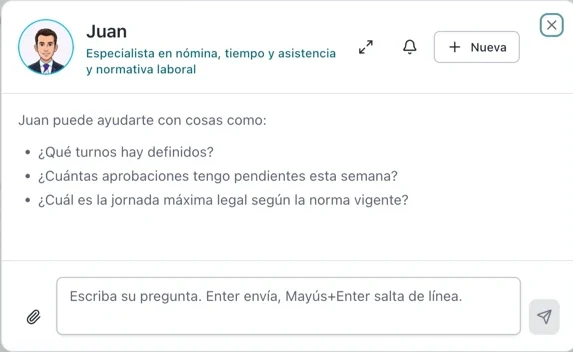
Your payroll team’s specialist
Juan answers questions on payroll, time and attendance and labor law from any screen. He reads your company data with the same permissions as the person asking. He is different from the support assistant included in paid plans.
- Cites the regulation from its library, never makes things up
- Shows a proposal and asks for confirmation before changing anything
- Reads attached Excel, Word and image files
- Optional daily briefing with late arrivals and pending items
Connected to your devices and payroll
Compatible biometric devices
4 brands (ZKTeco, Hikvision, Suprema and Dahua). The same business logic across brands.
Payroll export
Configurable templates per ERP in Excel, CSV, delimited text or fixed width, with preview and email delivery.
Query API
Read-only public API for employees, clock-ins and devices, with credentials you can rotate and revoke.
Sign-in
Sign in with Google or Microsoft, passkeys and two-step verification for sensitive actions.
Cloud platform
Cloud by default
Cloud by default. For very large clients, we evaluate installation on their own servers.
Isolated data
Each company sees only its own data. Roles and permissions by module, screen and action.
Audit and backups
Audit log and daily backups with restore testing.
Data protection
Voice and face match are off by default, with versioned consent from each employee.
Frequently asked questions
What payment terms are available?
Monthly, or prepaid for 12, 24 and 36 months with 10%, 15% and 20% off and a frozen price. Premium is paid monthly, or for 12 or 24 months.
Is the biometric device included?
No. Biometric devices are bought or rented separately and only in Colombia. Every 100 people or fraction include one device connection, with at least one on paid plans.
What do all paid plans include?
Mobile app, unlimited sites and administrators, unlimited schedules from Pre-payroll, remote setup and a 24/7 support assistant with a monthly usage quota.
Can I try it for free?
Yes, up to 5 people. For more people or for pre-payroll, choose a paid plan.


